KIA OS · Agency Websites
A Modern Website for Your Agency, Run From KIA OS
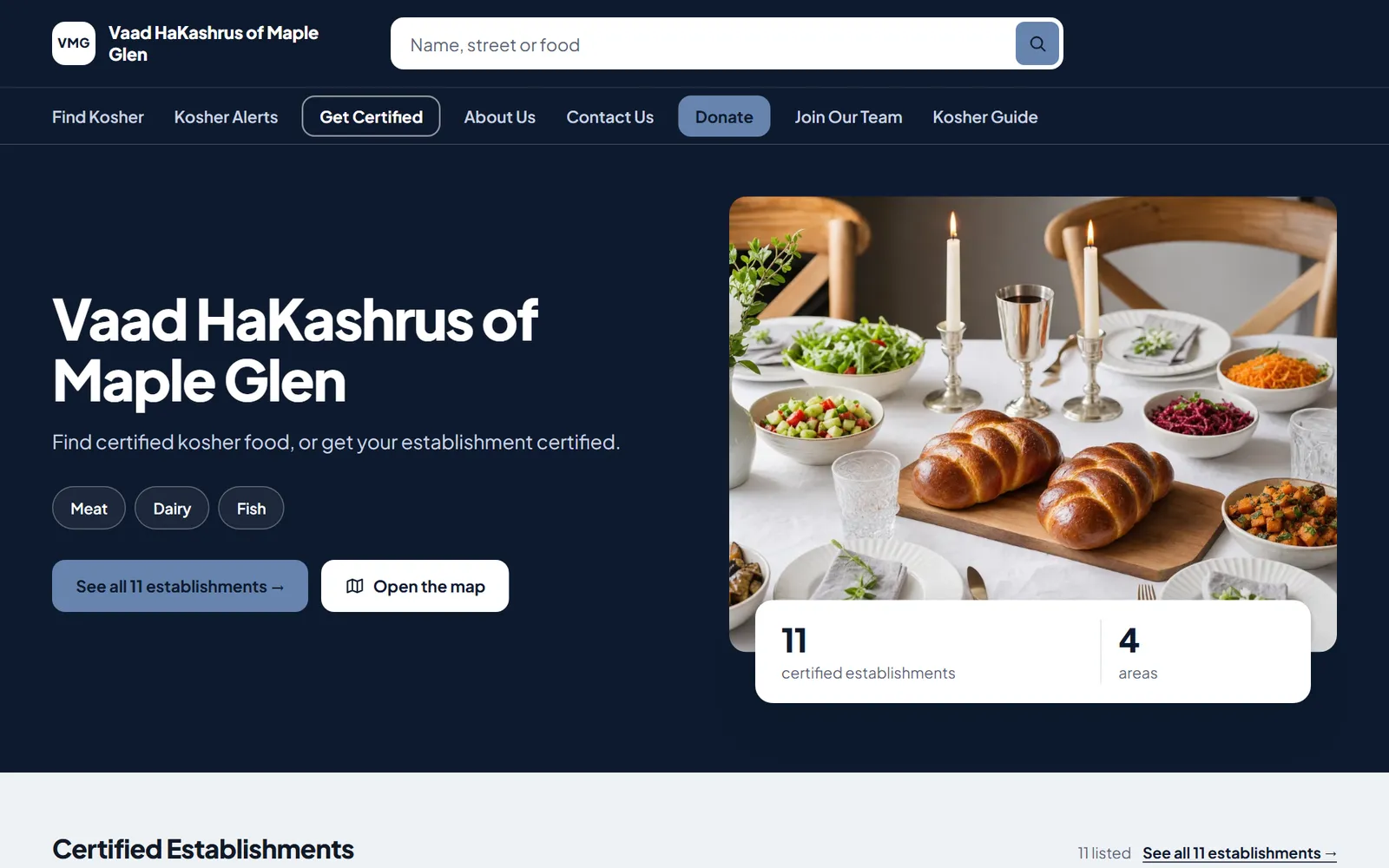
Your community checks your website to see what is kosher. With KIA OS it stays current on its own, because the establishments you certify, their certificates and your Kosher Alerts all come from the records your office already keeps.
What Your Agency Gains
A Professional Site Without a Web Designer
Choose one of four designs and add your logo and color. Your office changes the words and photos itself, whenever it needs to.
A Directory That Keeps Itself Current
Find Kosher lists the establishments you certify and choose to show, with the date each certificate runs through. When your KIA OS records change, the site changes with them.
Certificates Anyone Can Check
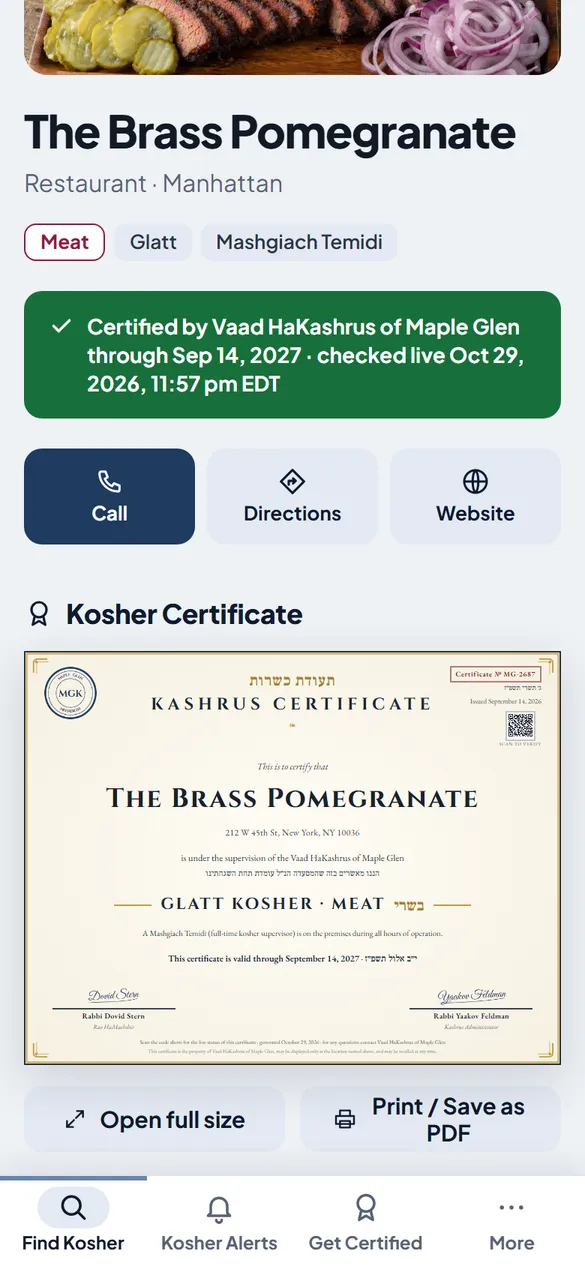
Each establishment’s page shows the certificate your agency issued. The QR code on the printed certificate opens that page, so a customer at the counter can see that it is current.
Kosher Alerts People See
Alerts stand out in color on your home page, and everyone who signs up gets them by email.
Applications That Arrive in KIA OS
Establishments apply for certification on your site, and mashgichim apply to join your team. Every application arrives in KIA OS, where your office already works.
What Changes When the Website Runs on KIA OS
Most agency websites are kept up by hand. This is how each part works once the site runs on KIA OS.
| Part of the site | Kept up by hand | With KIA OS |
|---|---|---|
| The list of certified establishments | Kept up by handA PDF or a page that someone has to remember to update | With KIA OSFind Kosher, built from your KIA OS records and current as soon as they change |
| Certificates | Kept up by handPaper that nobody outside the office can check | With KIA OSA live certificate page for each establishment, opened by the QR code on the paper |
| Kosher Alerts | Kept up by handA post on social media that scrolls out of sight | With KIA OSA color-coded alert on your site and an email to everyone who signed up |
| Applications | Kept up by handForms sent by email and typed in again by the office | With KIA OSApplications that arrive in KIA OS, ready for your office to act on |
| Changes to the site | Kept up by handAn email to a web designer, then a wait | With KIA OSYour office edits the site in KIA OS and publishes in seconds |
What the public sees
Everything Your Community Looks For
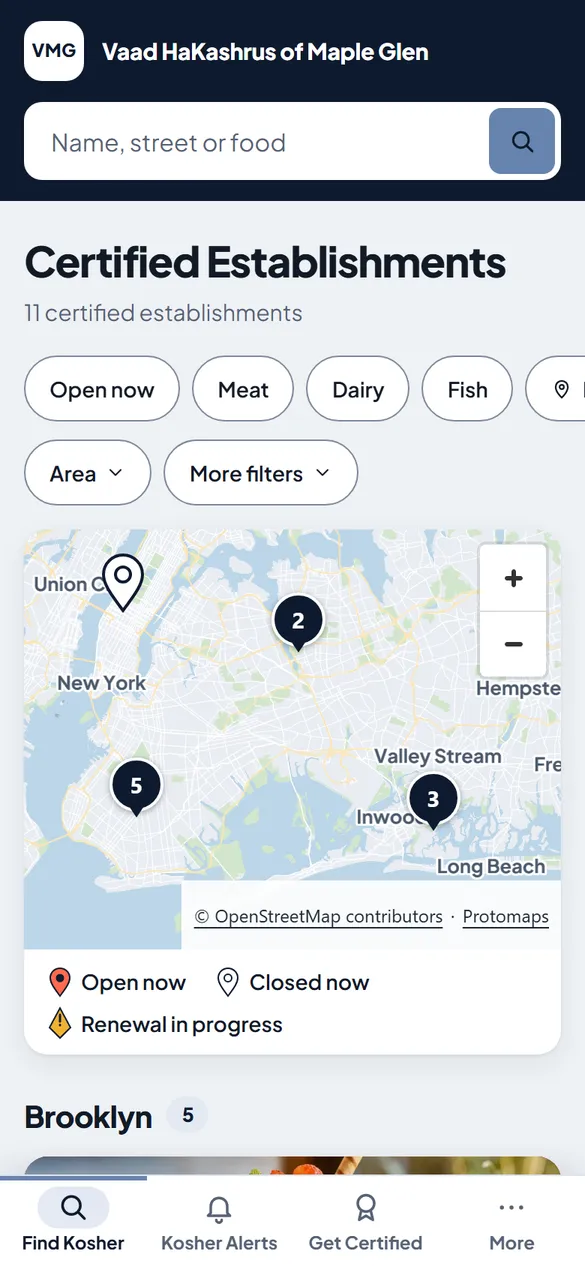
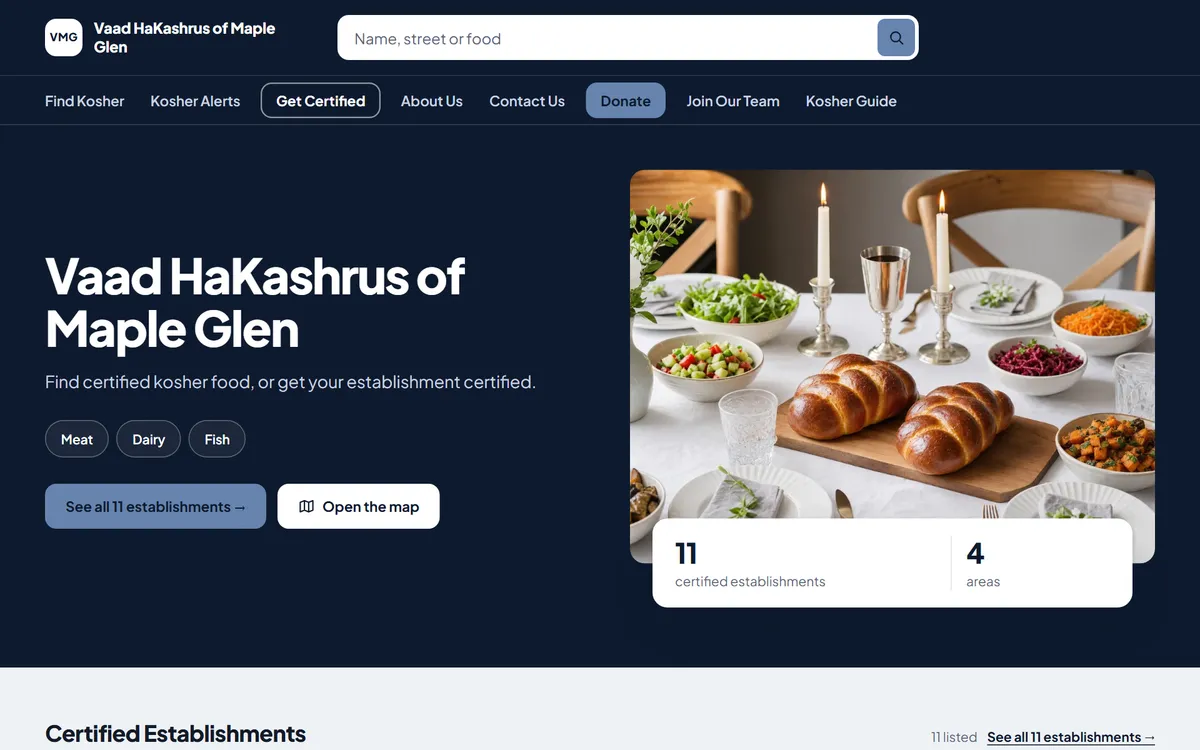
Built for phones first, and clear on any screen. These are pages of the sample site.
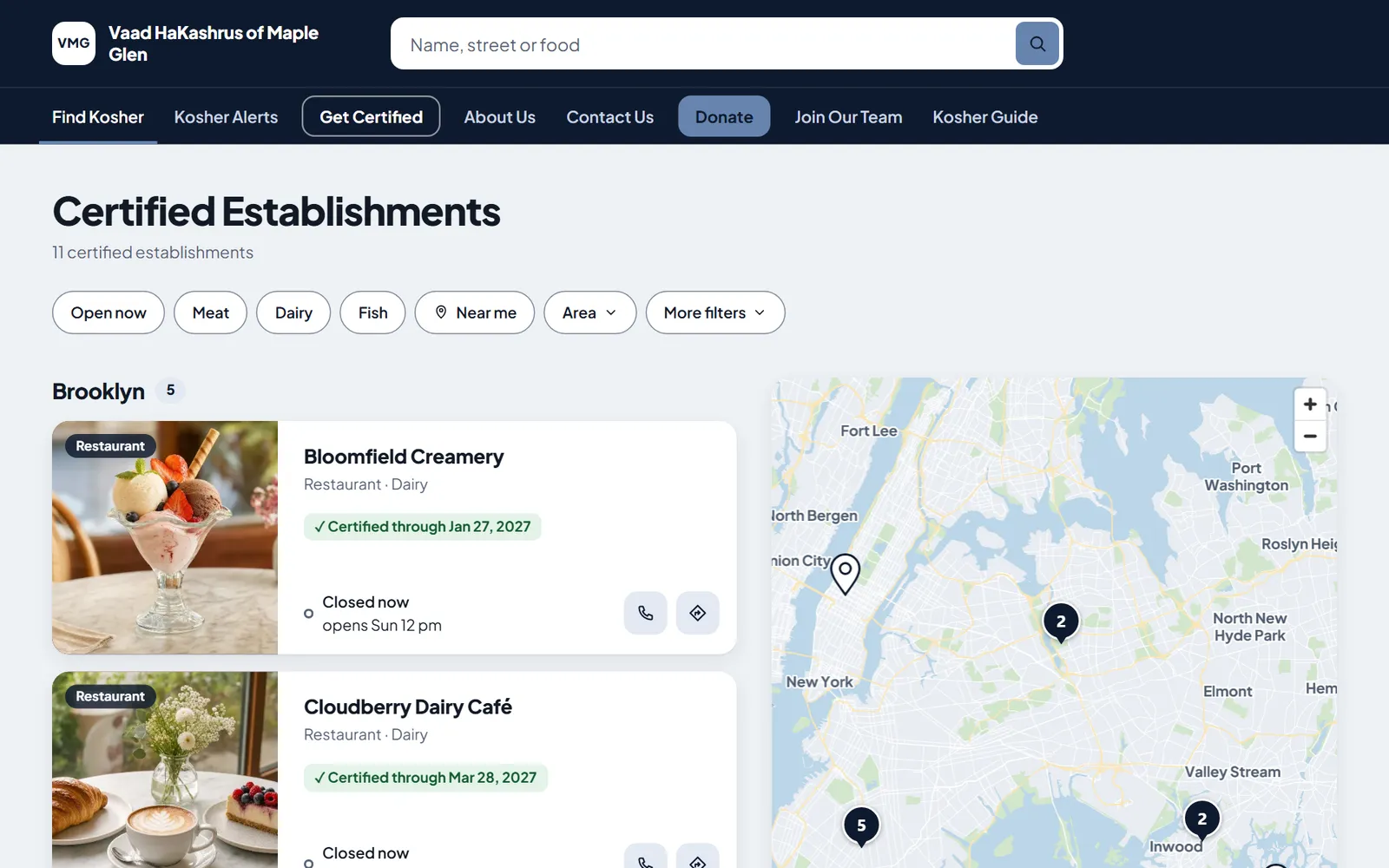
Find Kosher
Visitors search by name, street or kind of food, filter by meat, dairy, fish, area or what is open now, and browse the map. Every listing shows a photo and the date its certificate runs through.
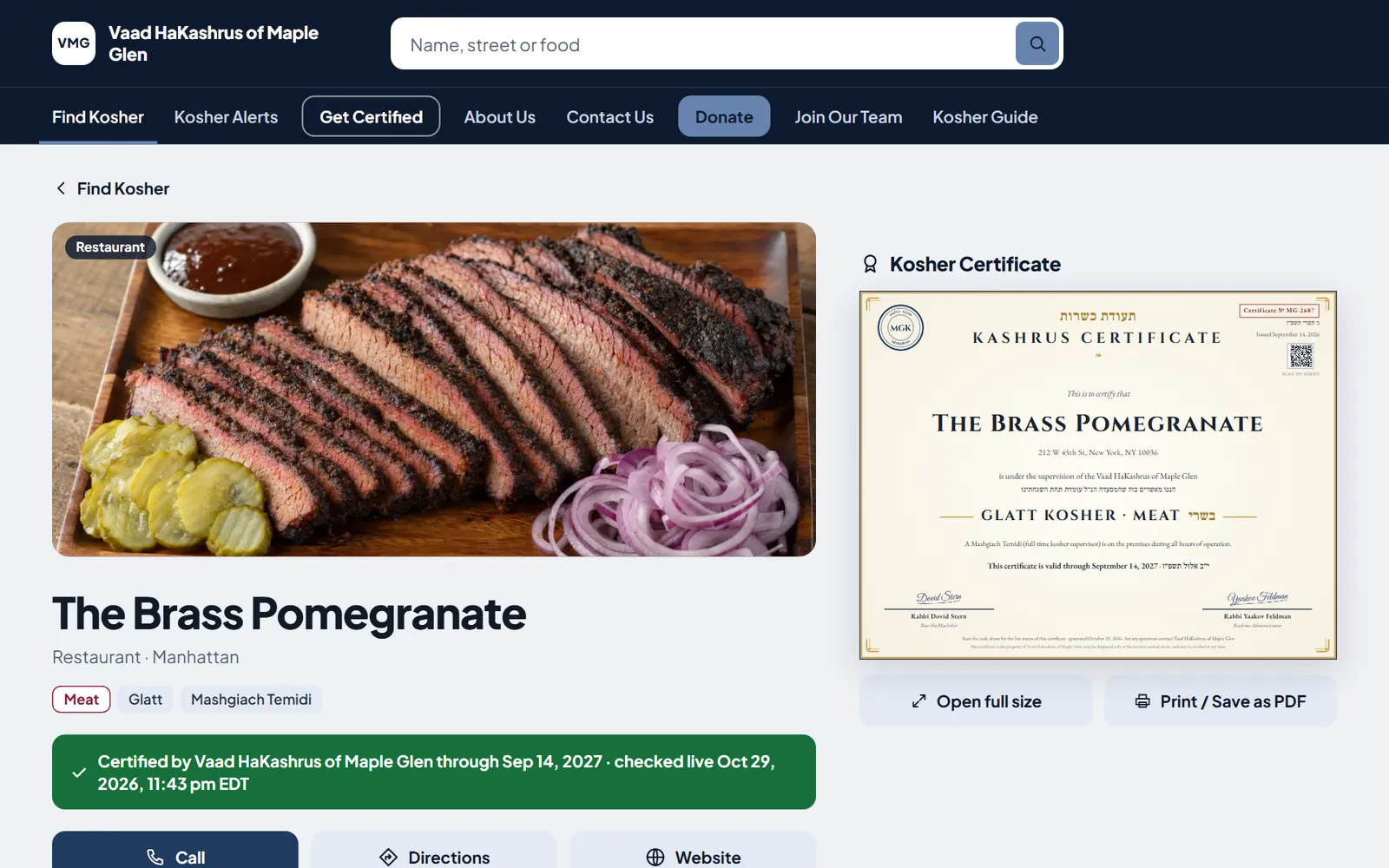
Your Certificate, Live on the Page
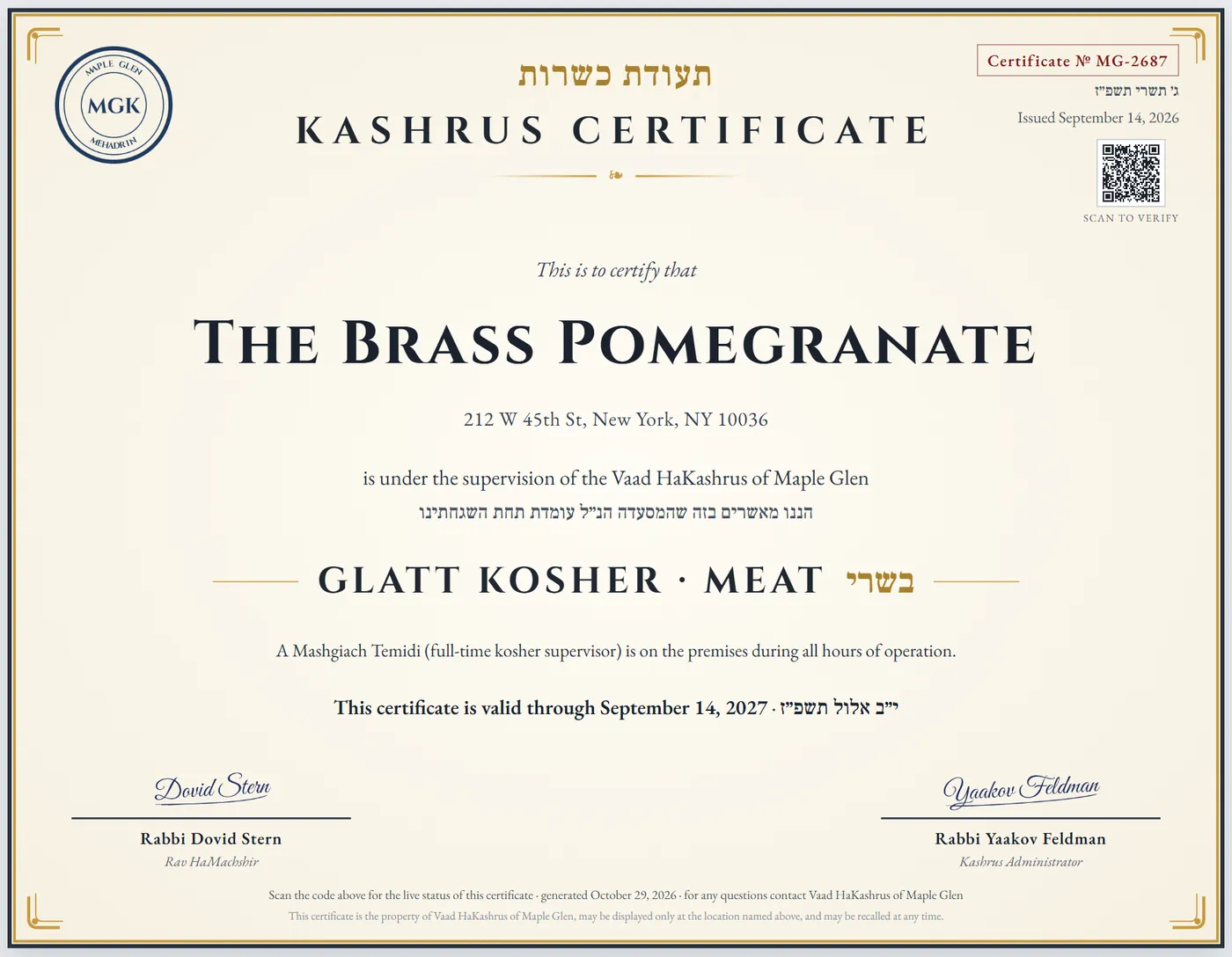
Each establishment has its own page with its hours, phone and directions, and the certificate your agency issued, in your own style, signed, with Hebrew and English dates. When a certificate ends and is not renewed, the establishment comes off the site.
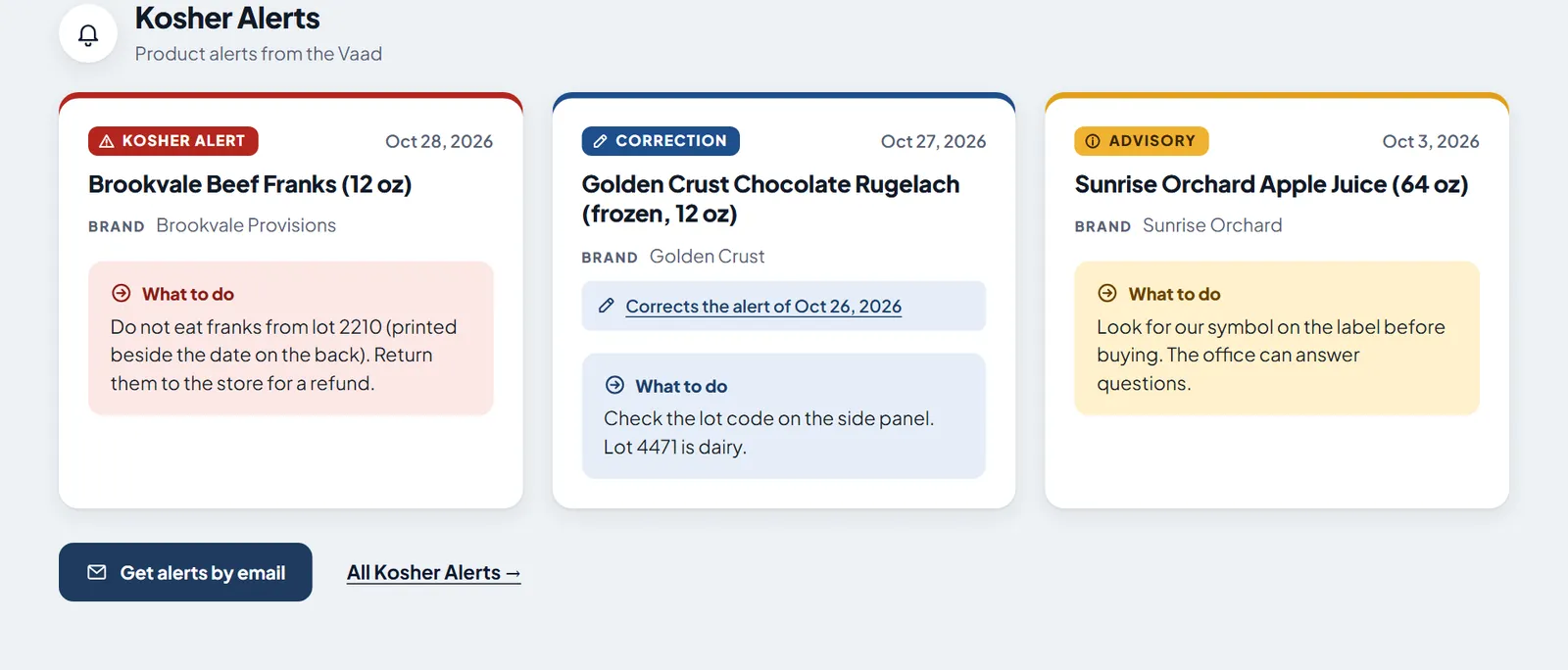
Kosher Alerts in Color
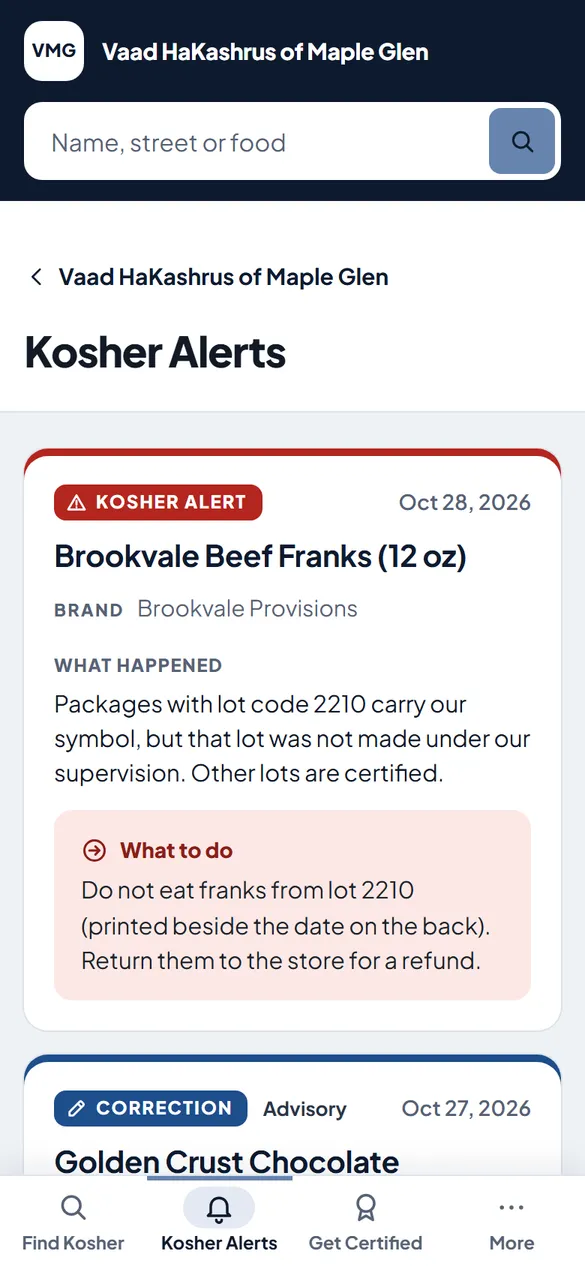
A Kosher Alert is red, an advisory is amber and a correction is blue, and each one shows what to do in its own box. Visitors can sign up to get every alert by email.
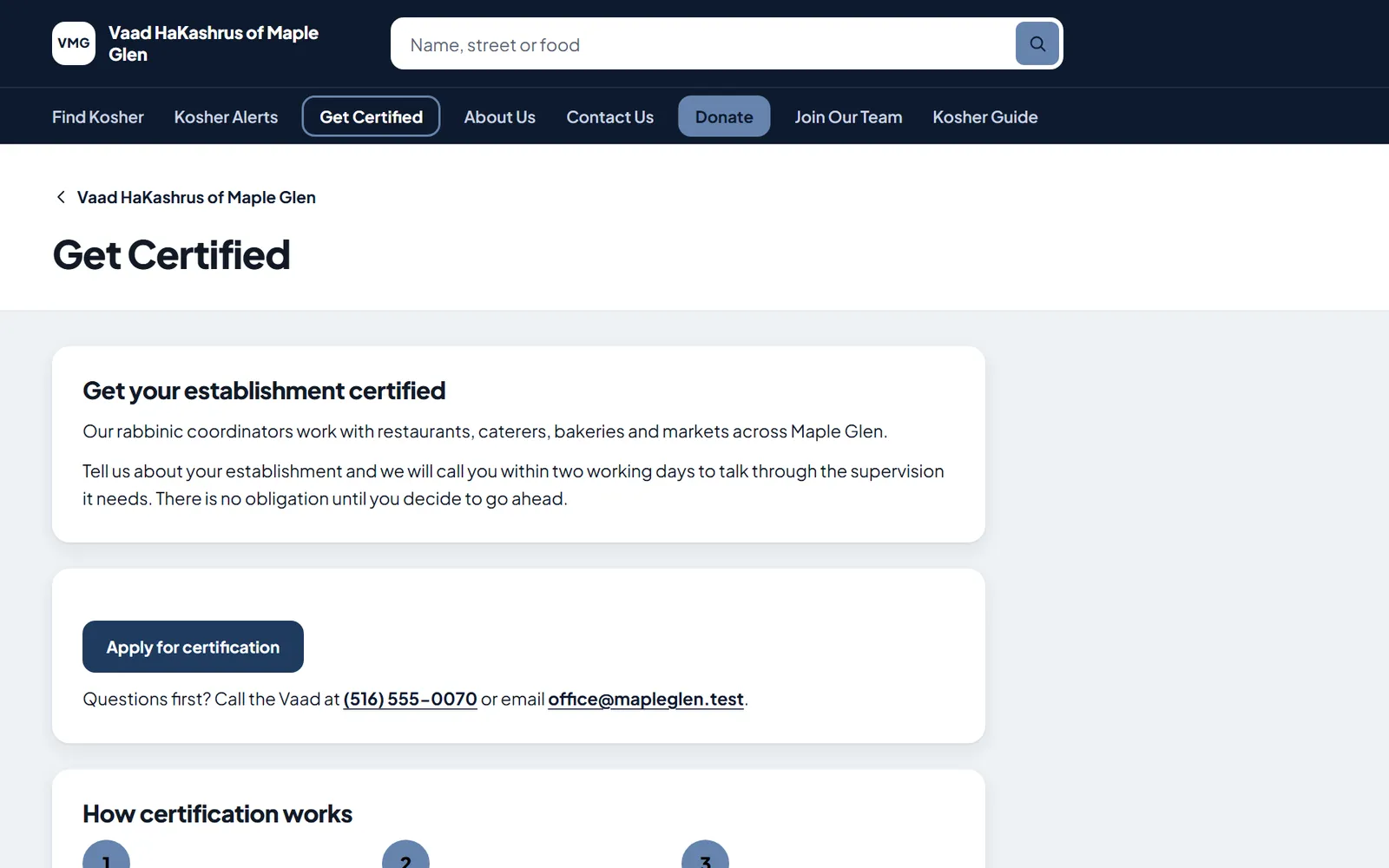
Get Certified and Join Our Team
An establishment applies for certification on your site, and a mashgiach applies to work with you, on your own KIA OS forms. Each application arrives in KIA OS for your office.
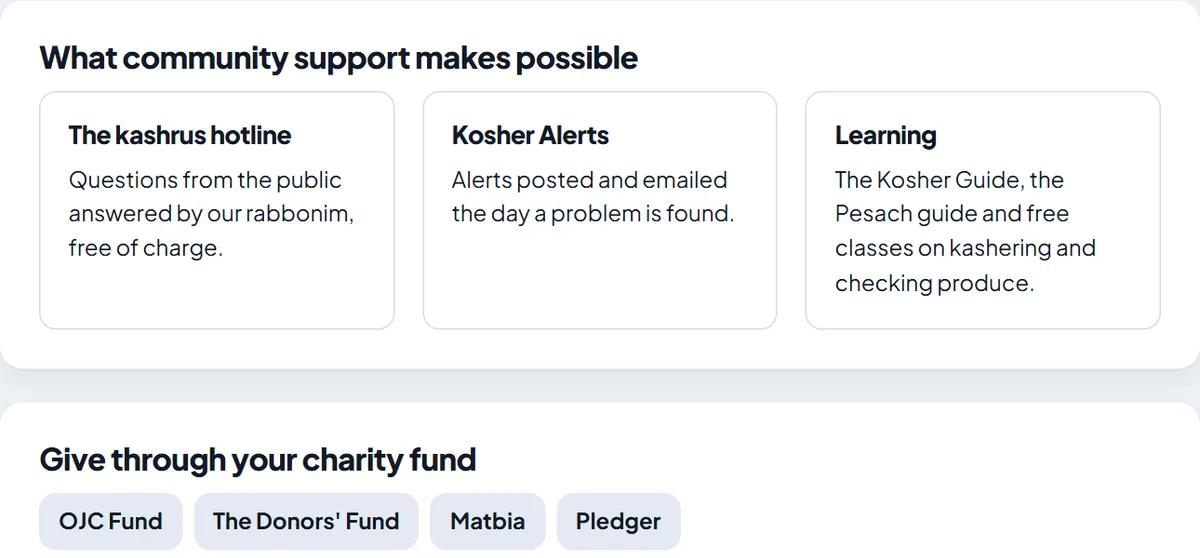
Donate
A Donate page sends supporters to your own giving page and shows the charity funds many donors already use.
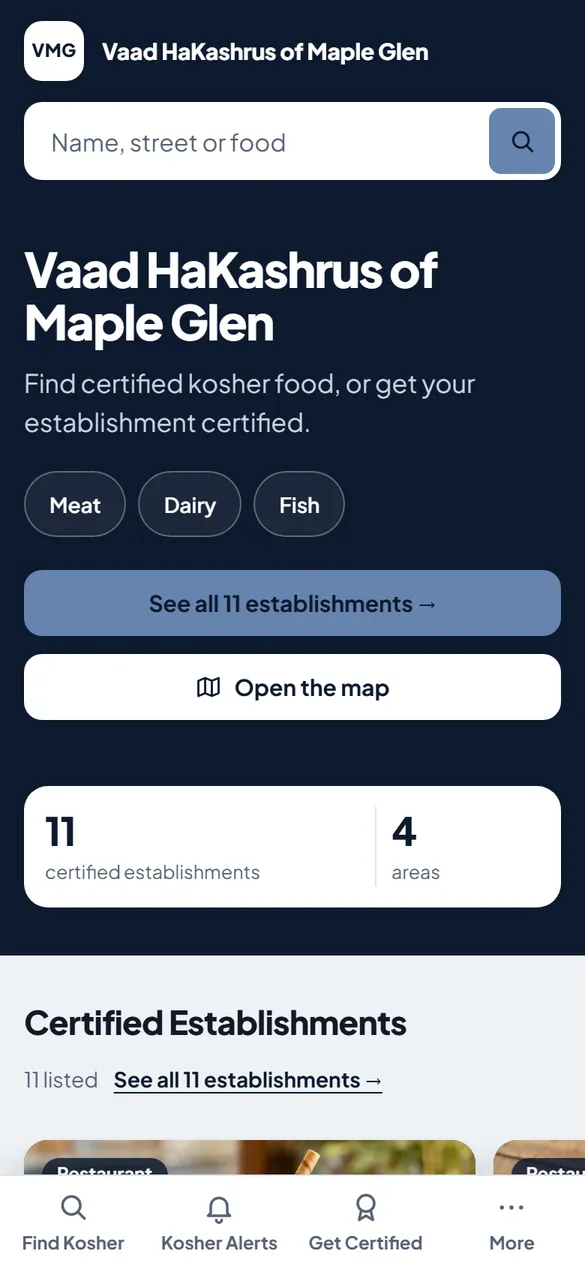
On a Phone
Most visitors arrive on a phone, so every page is laid out for one first, with Find Kosher, Kosher Alerts and Get Certified a tap away.
What your office uses
Run It From KIA OS
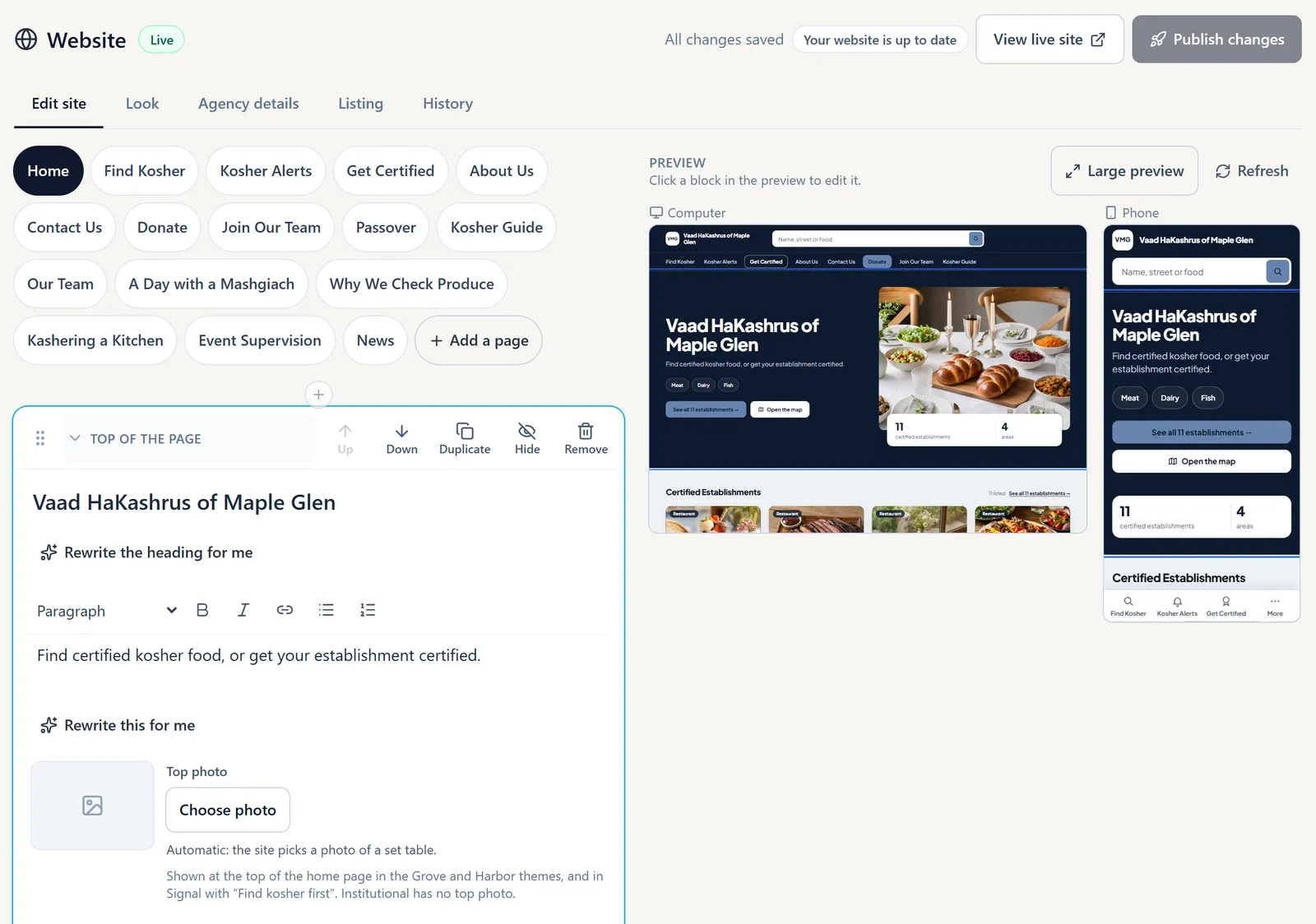
Your office edits the website inside KIA OS, with the people you choose. Each picture here is a KIA OS screen.
Click a Block and Change It
The editor shows your page beside a computer preview and a phone preview. Click a block to change its words or photo. Changes wait in a draft until someone presses Publish, and then they are live in seconds.
Add What Your Pages Need
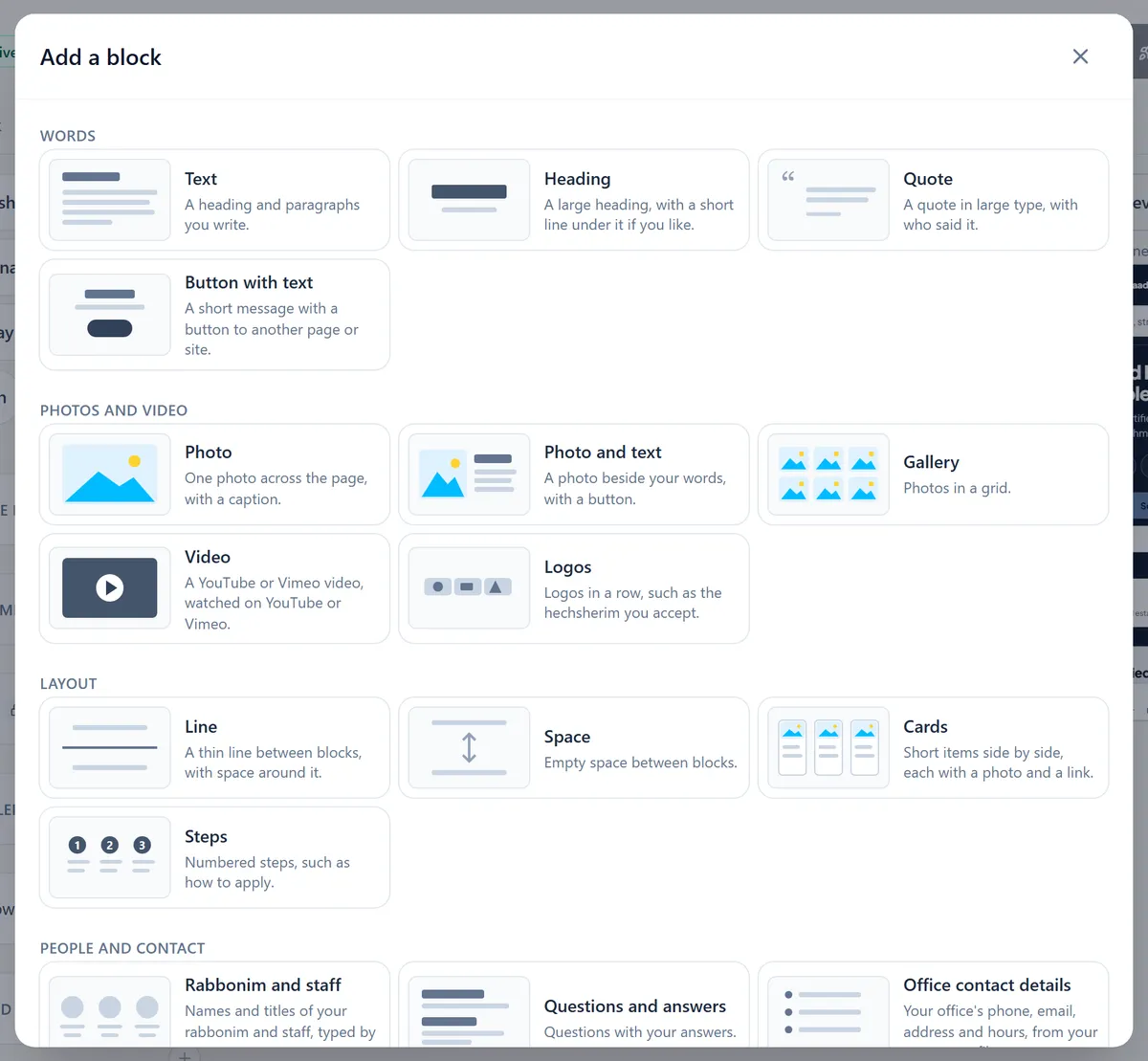
Text, photos, galleries, video, steps, questions and answers, your rabbanim and staff, office details and your KIA OS forms, each added from one list.
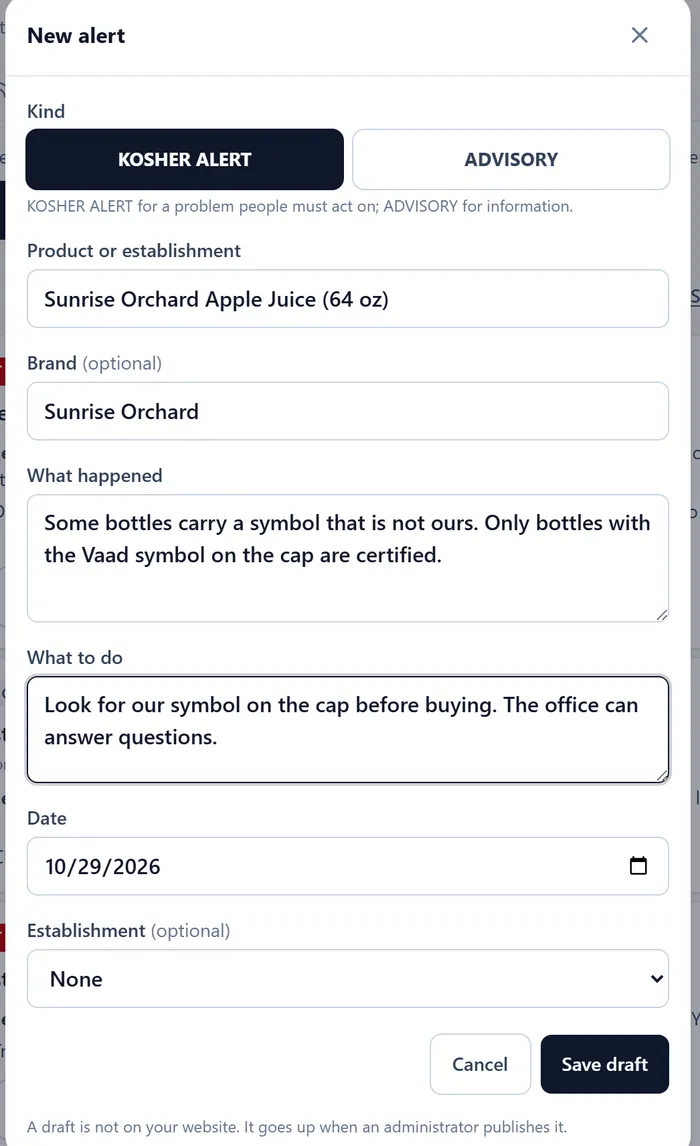
Post an Alert Once
Write the alert in KIA OS and publish it. It appears on your site in its color and goes by email to everyone who signed up.
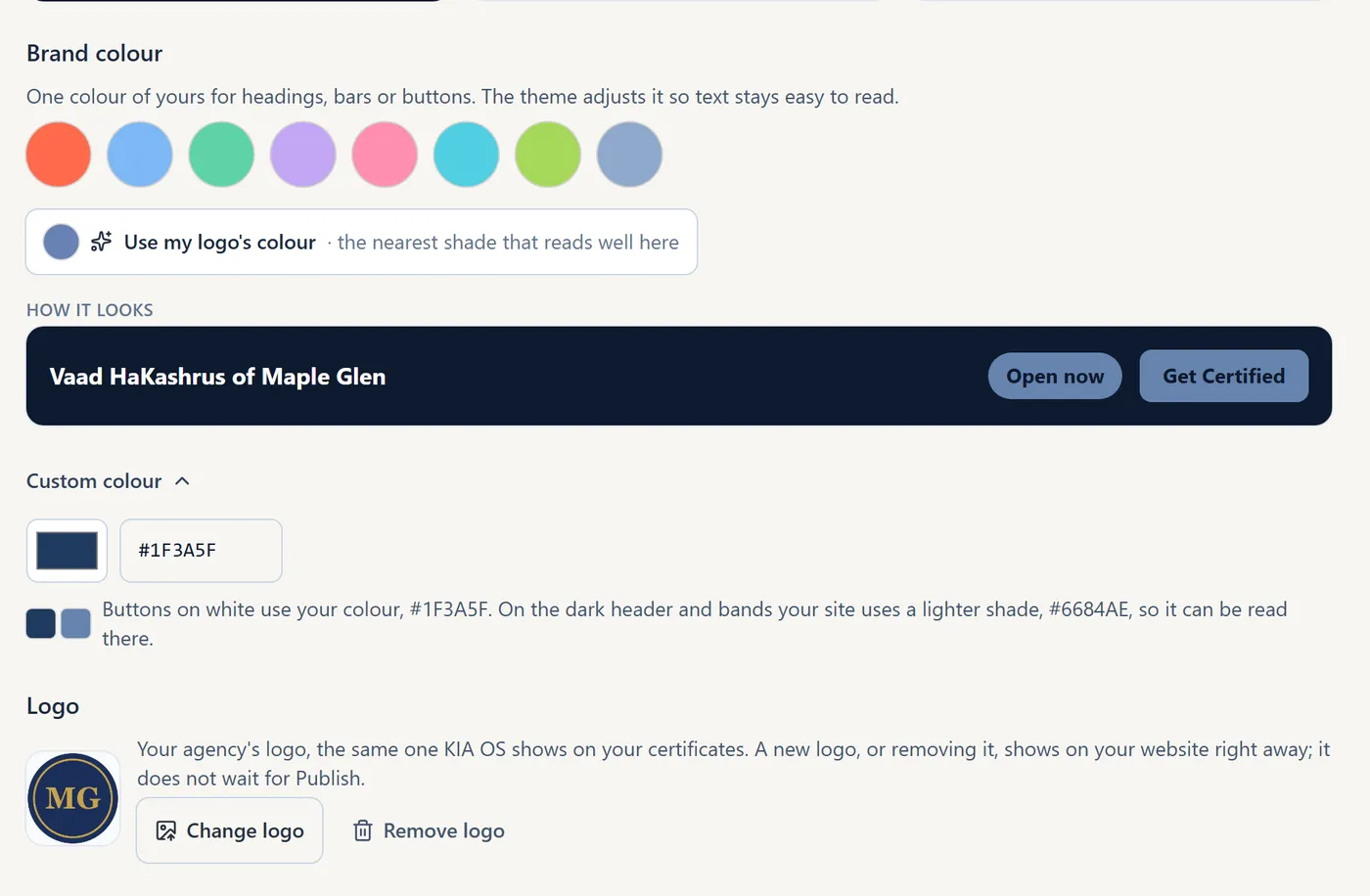
Choose Your Look
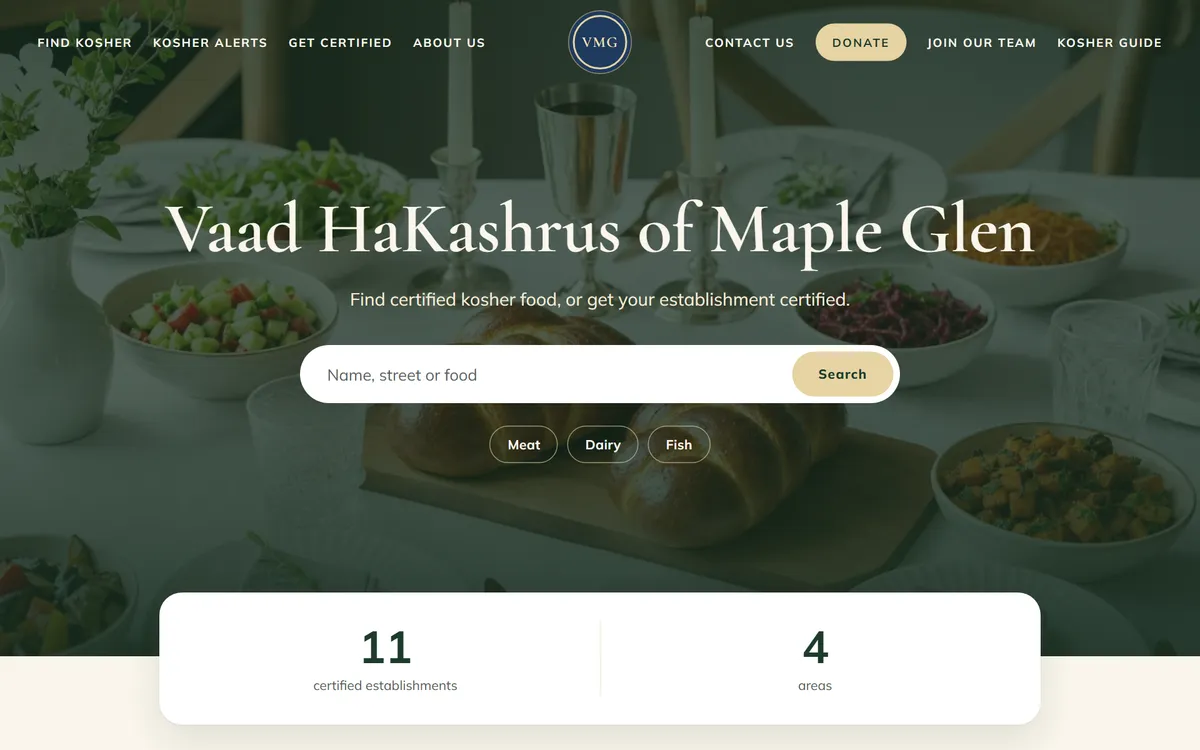
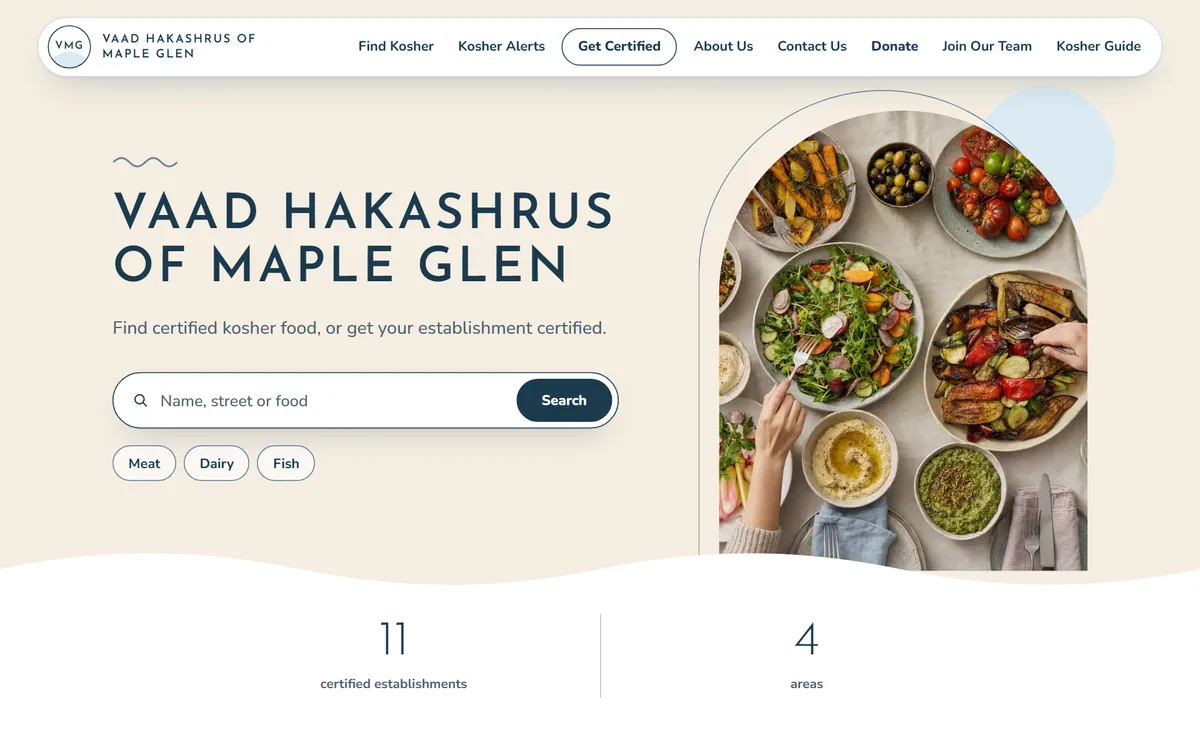
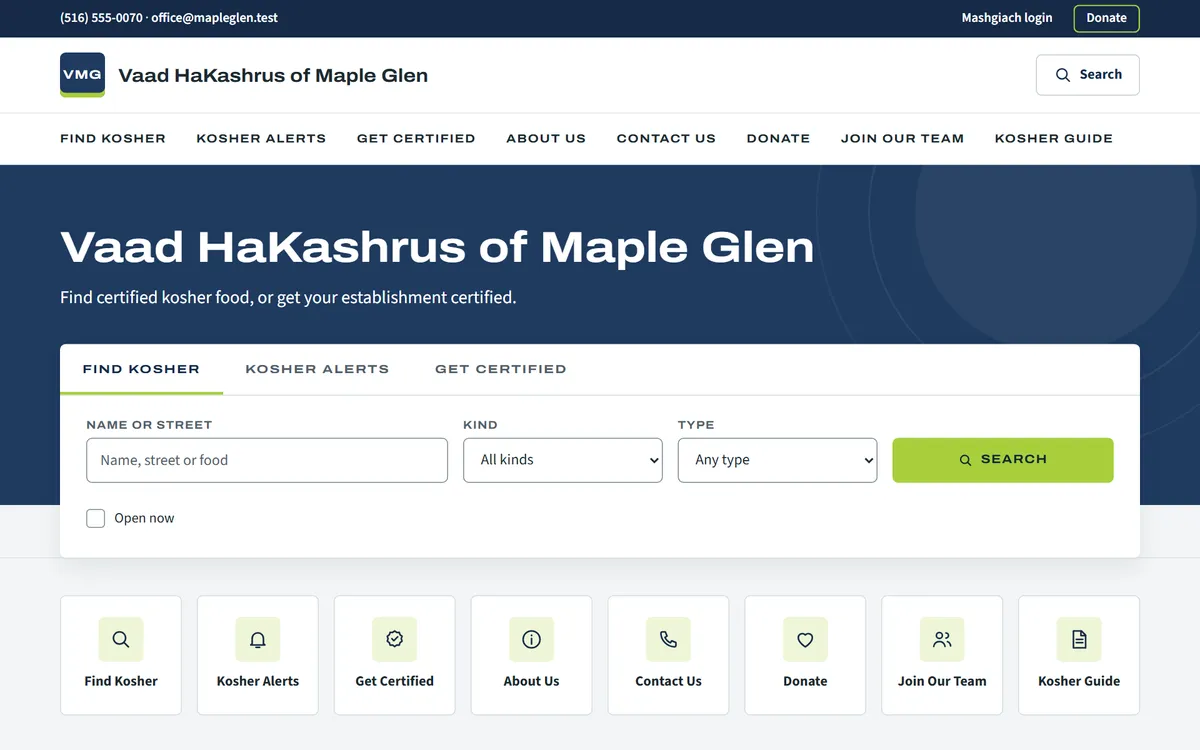
Pick one of four designs, choose a brand color or take it from your logo, and change designs whenever you like. Your pages stay as they are.
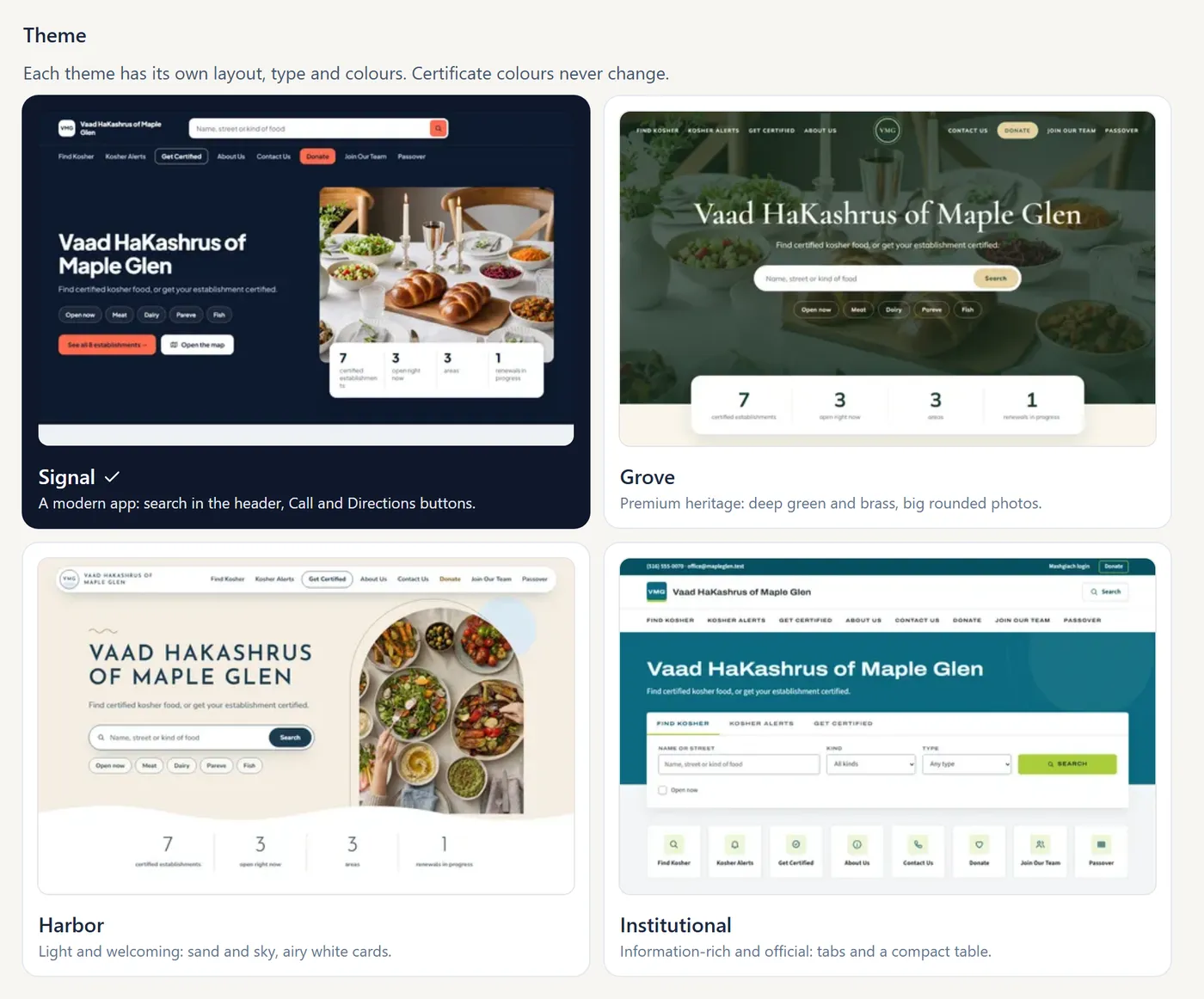
The sample site in each of the four designs. Open one to look around.
Every Version Kept
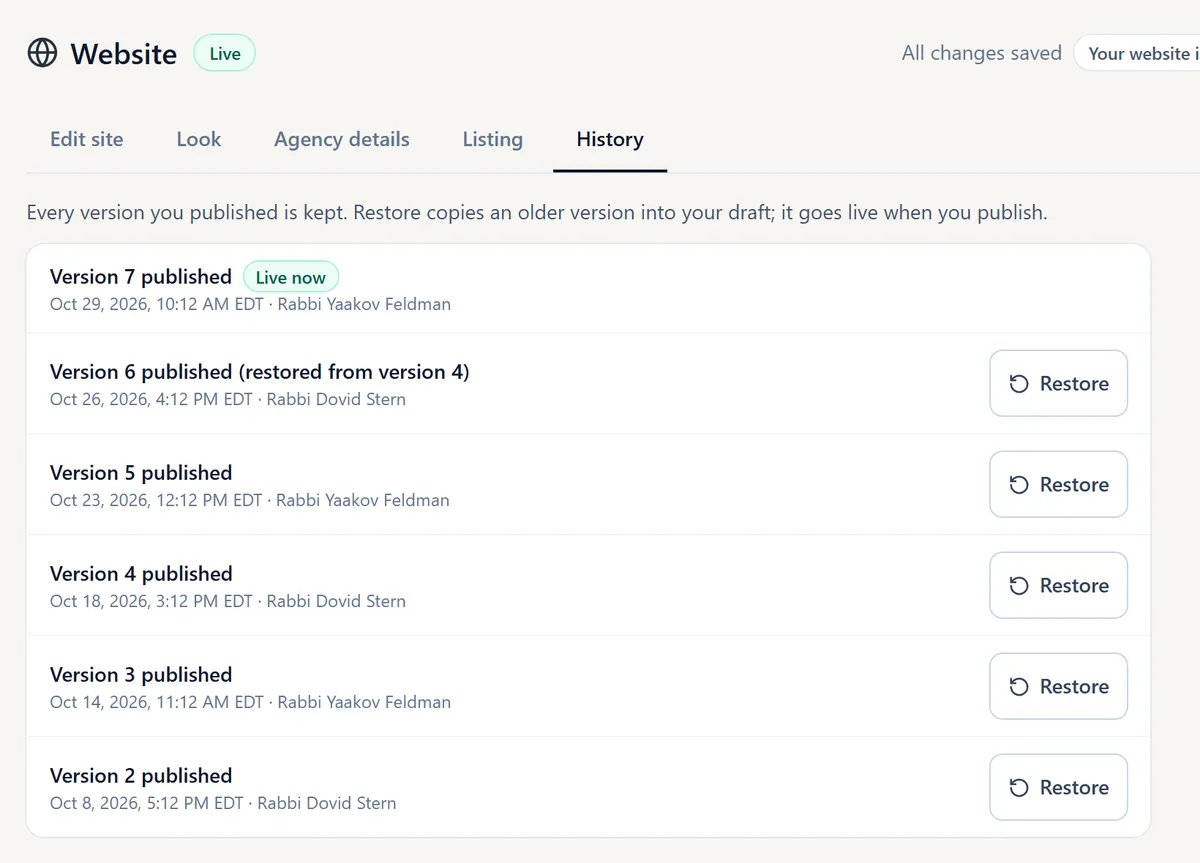
Every published version is saved with who published it and when. Any earlier version can be brought back with Restore.
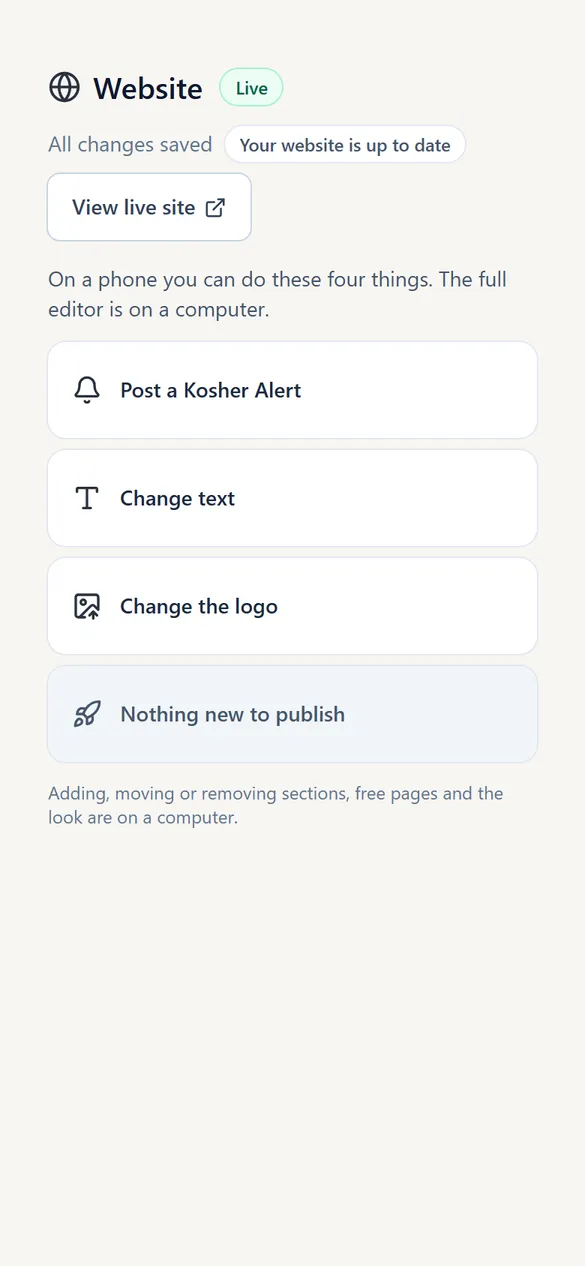
Quick Changes From a Phone
From a phone your office can post a Kosher Alert, change text or the logo, and publish.
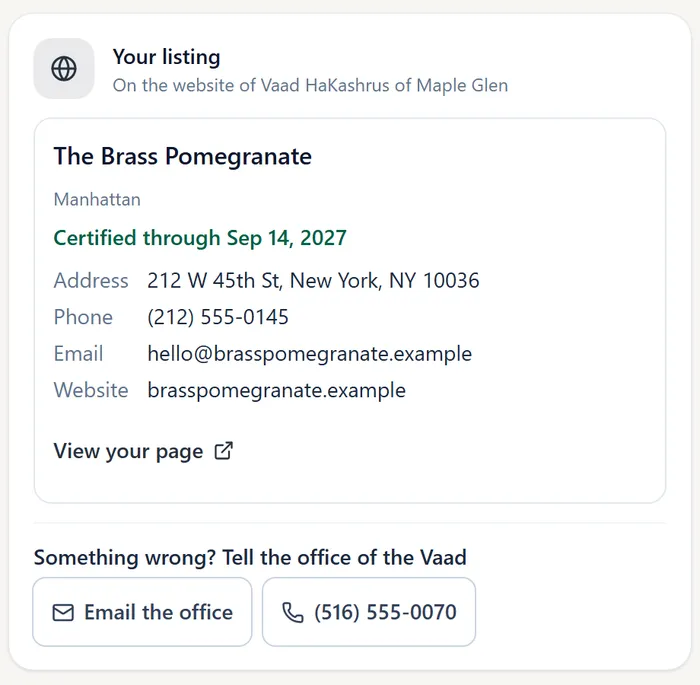
Each Establishment Sees Its Listing
In its own KIA OS portal, each establishment sees its listing as the public sees it, with a link to its page that it can share.
Who It Serves
Your Community
One place to find what you certify, check a certificate and get your alerts.
Your Establishments
A page of their own with a live certificate, which they can link to from their own site and share.
Your Office
Your office keeps one set of records. The website reads from KIA OS, so nothing is typed twice.
See It for Your Agency
Open the sample site, try the editor in the KIA OS demo, or talk to us about setting up your agency’s website.